Secure Without Drills: Smart Protection for Renters
Today we explore renter-friendly smart security with peel-and-stick sensors, showing how adhesive door, window, and motion devices create powerful protection without holes, permits, or lost deposits. Discover quick setup, thoughtful automations, and respectful privacy practices that fit apartments, dorms, and shared homes. Join our community, ask questions, and share what works in tight spaces, busy schedules, and buildings with strict rules.
Getting Started the Zero-Drill Way
Start by defining what matters: speedy installation, clean removal, and compatibility with your preferred voice assistant and phone. Peel-and-stick contact sensors, motion detectors, and battery cameras shine because they honor painted walls and landlord rules. We’ll guide you through reading surface labels, choosing reliable adhesives, understanding hub requirements, and building a roadmap that upgrades security today yet packs up smoothly when your lease ends or roommates change.
Install in Minutes: A Real-World Walkthrough
Maya moved into a studio with strict no-drill rules and set up peel-and-stick contact sensors during lunch. She cleaned trim, aligned magnet arrows, and named everything logically: Front Door, Balcony Slider, Kitchen Window. Her phone guided calibration and chimes confirmed success. Start to finish took under forty minutes, no tools beyond alcohol wipes. This approachable process builds confidence, reduces anxiety, and proves renters can achieve serious protection without complicated wiring or intrusive landlord approvals.
Doors, Windows, and Balcony
Dry-fit each contact sensor before peeling adhesive. Check the open–close gap and magnet orientation, then mark alignment with a tiny painter’s tape tab. Clean both sides, stick sensor first, then magnet, holding steady for a firm bond. For sliders, mount vertically to avoid frame flex. Test repeatedly, listening for chimes in the app. If anything misreads, nudge the magnet a millimeter closer, and you’ll nail reliable status updates even on older rental frames.
Battery Cameras That Blend In
Use adhesive mounting plates or lightweight stands for battery cameras, keeping them away from steamy kitchens and direct sun. Choose a height just above eye level, angled to capture faces without intruding on neighbors’ windows. Enable privacy zones and, if available, a physical shutter. Charge fully before mounting to avoid early climbs. When testing, walk patterns you actually use, like late-night returns, to confirm useful notifications rather than interruptions that train you to ignore alerts.
Testing and Naming Devices
Clear naming avoids confusion: Front Door Contact, Hall Motion, Bedroom Window West. In the app, run guided tests for open, closed, and tamper states. Enable audible chimes for peaceful confirmation without startling neighbors. Create a simple dashboard with quick arm modes and guest access toggles. Finally, simulate a busy day—deliveries, trash runs, pet walks—and verify notifications feel informative, not overwhelming. Share your favorite naming schemes in the comments so others can borrow proven structures.
Smart Automations That Earn Their Keep
Create a nighttime scene that mutes chimes and favor silent phone notifications after 10 p.m. If roommates work shifts, schedule individualized alert preferences to avoid interrupting sleep. Replace sirens with soft light cues for benign events like balcony drafts. Reserve loud alarms for confirmed entries while away. Polite, context-aware alerts help maintain harmony in thin-walled apartments, earning goodwill. Share your quiet-hour strategies below—real stories help readers tune their systems thoughtfully and respectfully.
Pair phone presence and Wi‑Fi arrival to reduce false arm–disarm swings. When everyone leaves, auto-arm doors and windows; when the first person returns, shift to a gentle entry delay with welcoming hallway light. Always include a manual override for guests or dog walkers. If privacy is a concern, rely on local presence signals rather than broad location history. The goal is confidence without feeling tracked—convenience that respects boundaries and the realities of shared urban living.
Use window sensors to pause heating or cooling when panes are open longer than five minutes, resuming automatically when closed. Tie balcony sliders to ceiling fans for quick airflow during cooking. Schedule camera power-saving modes while you’re home, extending battery life without missing critical events. Subtle automations save money in rentals where utility costs sting. Post your best energy-saving pairings, from motion-triggered desk lamps to delayed coffee grinders that greet early mornings without startling roommates.
Privacy, Data, and Landlord Relationships
Adhesive installs make cooperation easier: no holes, no wiring through common spaces, no surprises at move-out. Be transparent with property managers about non-invasive gear and privacy practices. Favor platforms offering local video processing, strong encryption, and two-factor authentication. Limit sharing to trusted people, and document your removal plan. Healthy communication, good security hygiene, and respectful placement—from camera angles to visitor disclosure—build trust, reduce friction, and keep your home feeling safe without alienating neighbors, guests, or management.
Troubleshooting Without Tools
When adhesives lift, batteries sag, or signals drop, renters need solutions that avoid drills. Most issues respond to smarter placement, patient surface prep, and minor routine tweaks. Reboot hubs, re-seat batteries, and retest distances with doors actually closing. Update firmware during daylight when outages are least disruptive. Keep spare strips and cells on hand. By mastering light-touch fixes, your system stays dependable, quiet, and respectful of the building—and your weekend plans remain blissfully intact.
Adhesive Rescue Tactics
If a sensor loosens, first clean both surfaces thoroughly and replace with a fresh, paint-safe strip. Warm the area gently to improve bonding, then press for the full dwell time. For slightly textured trim, use wider strips or a removable mounting plate. Avoid heavy cameras on weak finishes; switch to a lightweight stand instead. Document what worked and what failed, then share in the comments to help fellow renters avoid the same sticky surprises.
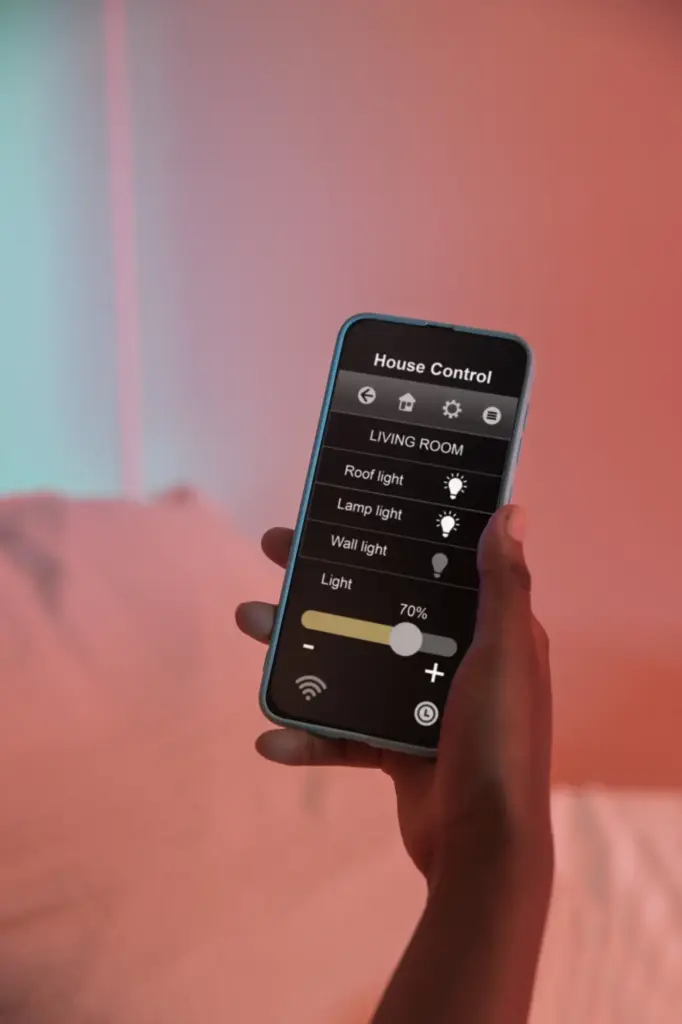
Signal and Interference Fixes
Weak notifications often stem from distance, metal doors, or crowded Wi‑Fi channels. Move the hub centrally, a meter off the floor, away from microwaves and dense wiring. Prefer 2.4 GHz for range, enable a Thread border router if supported, and reduce excessive mesh hops. Reboot after channel changes. Test with doors closed to simulate real-life attenuation. Small repositions frequently outperform new hardware, and your lease remains pristine because no drilling is ever required for improvement.
Battery Life That Actually Lasts
Use high-quality lithium cells in cold entries, and set motion sensors to appropriate sensitivity rather than maximum. Reduce status LED brightness, extend check-in intervals if supported, and avoid constant live view on battery cameras. Investigate noisy automations that trigger too often. Seasonally inspect adhesive and battery health together. A little tuning doubles endurance, saving money and waste. Share your longest-running placements so readers can replicate durable, renter-smart setups that keep protecting through every lease renewal.
Packing Up When the Lease Ends
Moving out should be as painless as installation. With peel-and-stick gear, you’ll pull tabs slowly, clean residue gently, photograph every surface, and leave trim looking untouched. Back up device settings, export video clips you actually need, and factory reset hardware. Transfer ownership for resales, or label boxes by room to speed your next setup. Finally, tell us what surprised you during removal so we can publish collective wisdom for stress-free transitions.
All Rights Reserved.